
Every enquiry with its answers, assignee and status on one screen. Filter by stage, source, owner or date and work straight down the list.
- Stage tabs with live counts
- Repeat-enquiry and waitlist flags
- Notes, documents and activity per lead
The product
Capture, follow up and enrol from one screen. Below are five real screens from the CRM, as your team would see them with your name and colours.
The CRM, screen by screen
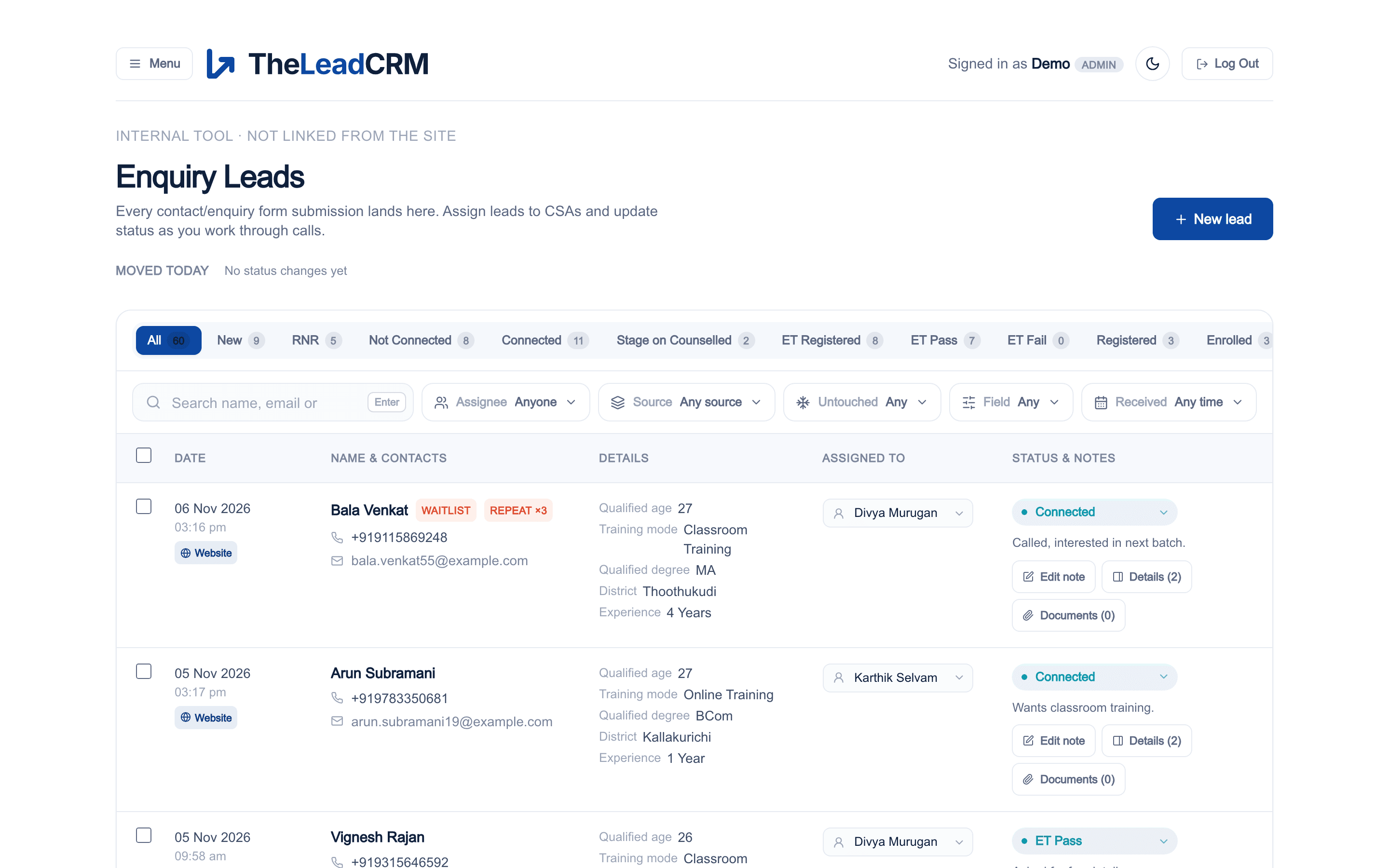
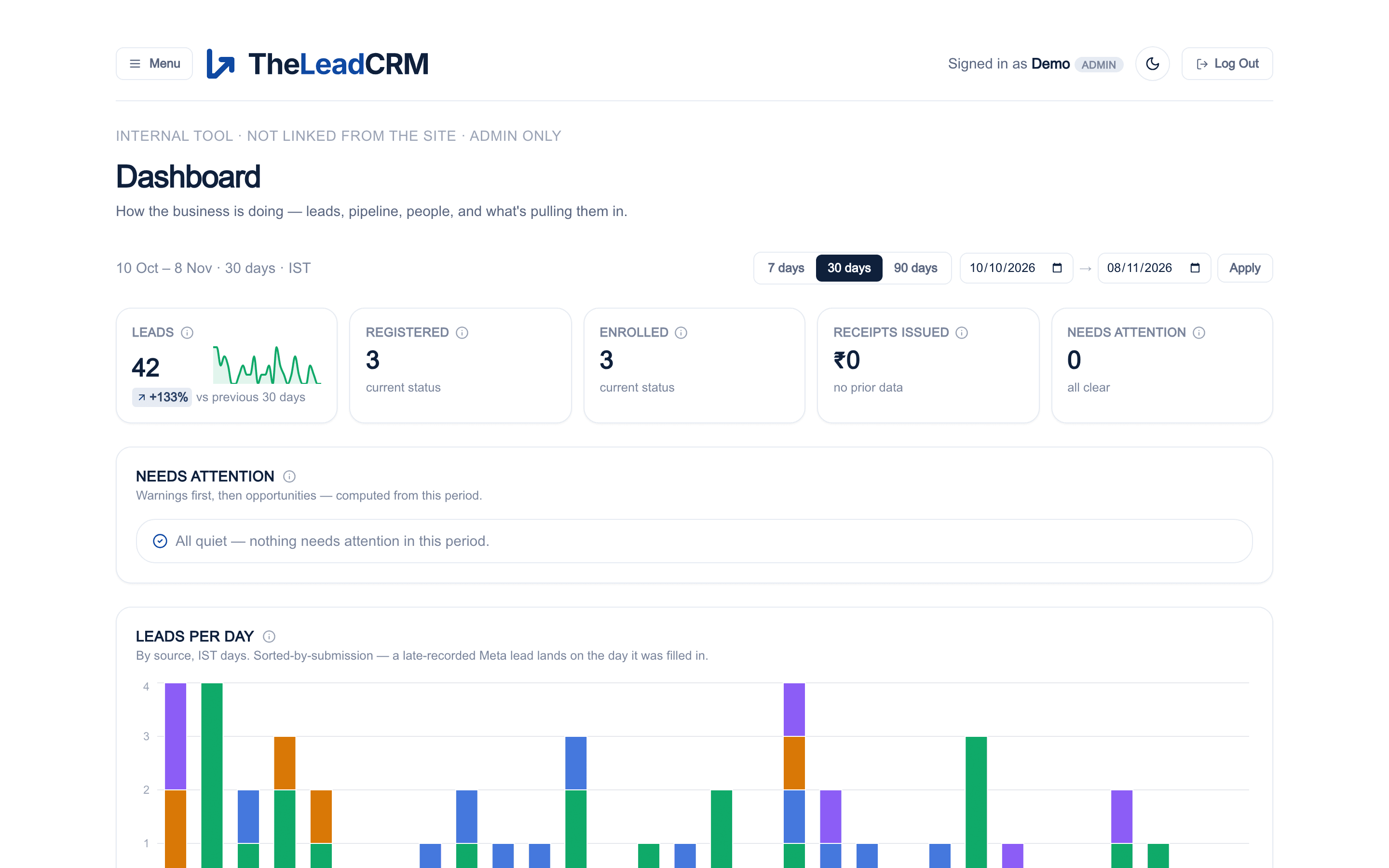
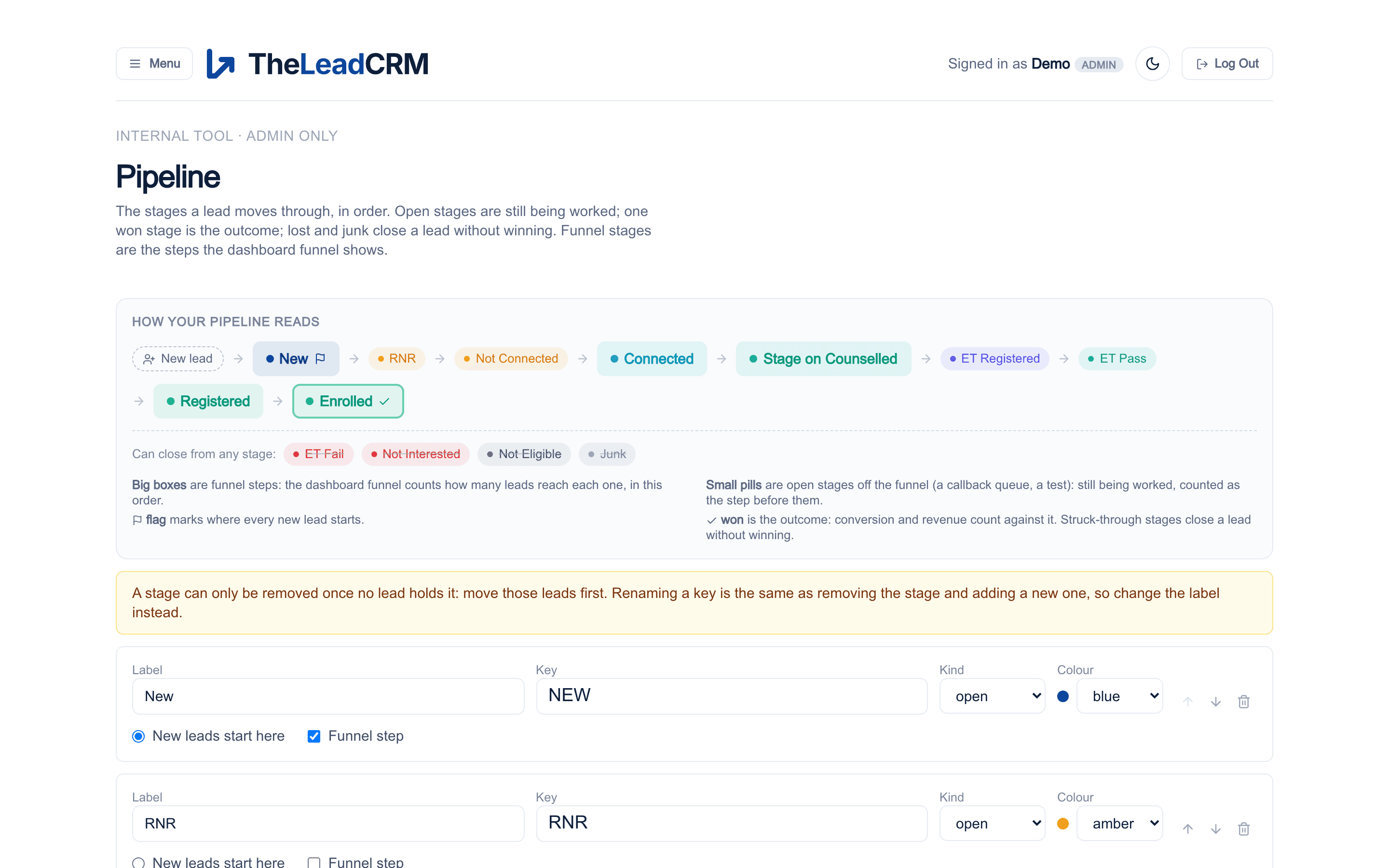
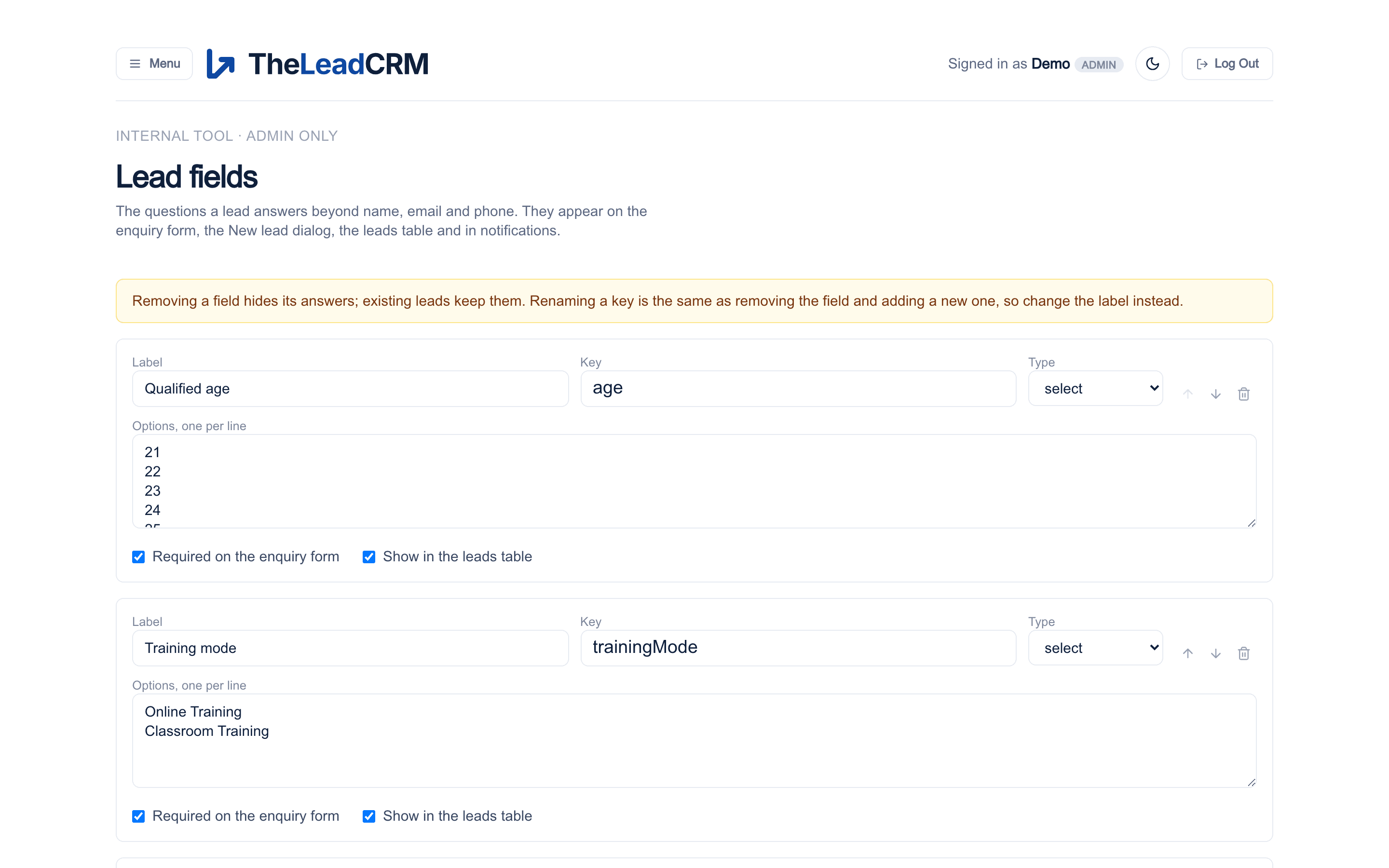
Every enquiry with its answers, assignee and status on one screen. Filter by stage, source, owner or date and work straight down the list.
Leads, registrations, enrolments and receipts for any period, with what needs attention listed first.
Name your stages, mark the funnel steps and the won stage. The leads page and the dashboard follow.
The questions a lead answers beyond name, email and phone, edited without a developer.
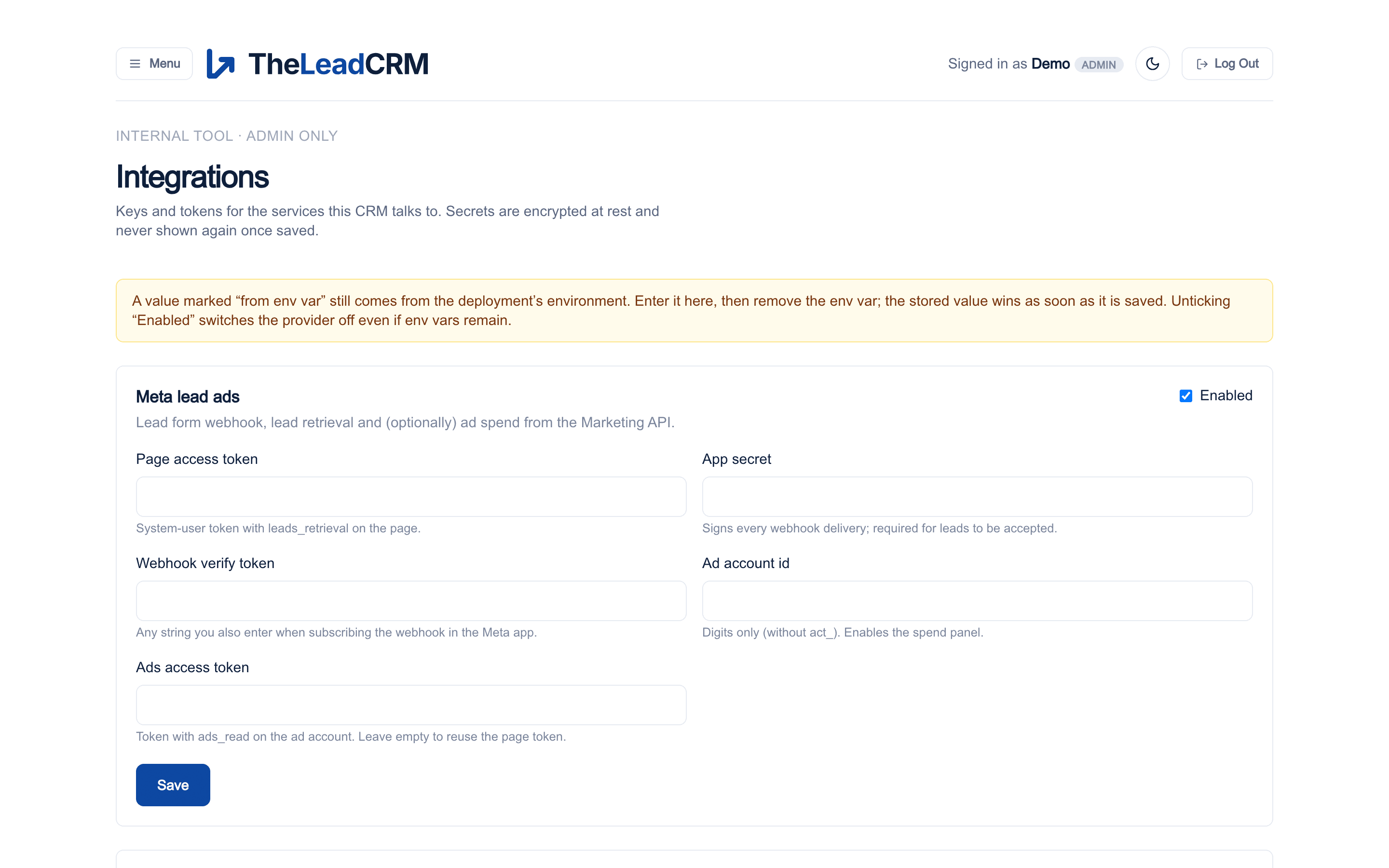
Meta, Razorpay, email and push credentials, stored encrypted and switchable per provider.
1 / 5
Book a demo
We set up a trial instance with your courses and enquiries and walk the team through it on a call.